
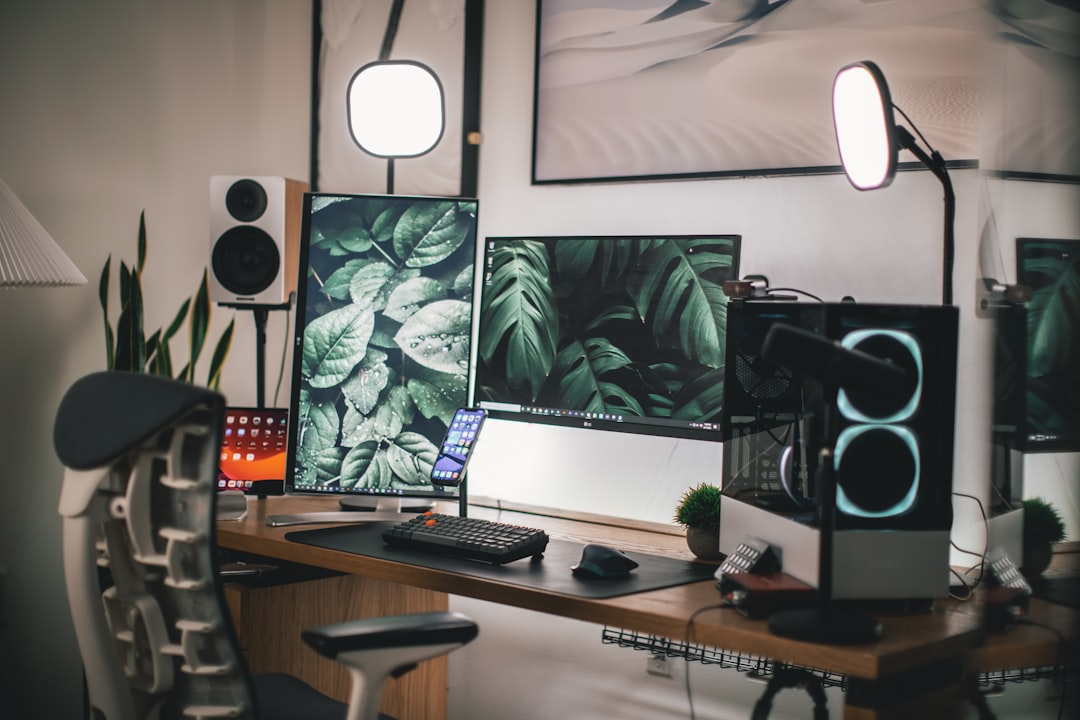
Setting up a home office that’s both comfortable and productive is about thoughtful choices, not expensive upgrades. With the right layout, ergonomics, lighting, and tech, you can create a space that supports focused work and reduces fatigue.
This guide gives practical steps and product-focused suggestions to help you assemble a workspace that fits your routine, budget, and space—so you spend less time tweaking and more time doing meaningful work.
Choose the right location and layout
Pick a spot with minimal foot traffic and good natural light. If you share a home, a corner with a visual barrier (shelf, room divider, or plant stand) helps minimize interruptions. Position your desk so windows are to the side to avoid screen glare, and leave at least 3 feet of clearance behind your chair for comfortable movement.
Invest in ergonomic furniture
A supportive chair and a desk at the correct height are the foundation of comfort. Look for adjustable chairs with lumbar support and desks that allow for a neutral wrist position and 90-degree elbow angle. If you need ideas for styles that mix comfort and design, check out selections in trending furniture.
Optimize monitor, laptop, and peripherals
Place your primary screen so the top third is at eye level and 20–30 inches from your face. If you work on a laptop, use a stand and external keyboard to keep the screen raised and your wrists neutral. Small desk accessories—an adjustable monitor arm or a compact docking station—can free up space and reduce neck strain.
Choose sound and lighting to boost focus
Good, adjustable lighting reduces eye strain. Combine overhead light with a warm-toned task lamp that can be angled across documents or a keyboard. If ambient noise is an issue, quality headphones can help you concentrate—consider noise-cancelling options like the Beats Studio3 headphones for extended focus sessions and calls.
Organize storage and reduce clutter
Use vertical shelving, labeled bins, and a simple in/out tray system for paperwork. A dedicated drawer or cabinet for cables, chargers, and office supplies keeps surfaces clear. If you want plant shelving or decorative storage to define the space, balance aesthetics with function so items are accessible but not distracting.
Reliable tech and connectivity
Your computer, peripherals, and network should be dependable. Browse essentials in the computer & IT category to find routers, docking stations, SSDs, and accessories that match your setup. For strong, consistent Wi‑Fi—especially if you video conference frequently—consider routers optimized for streaming and multiple devices; a well-reviewed physical option is the ASUS WiFi Router.
Practical accessories that streamline work
Small accessories can make a big difference: a reliable phone stand, cable clips, a wrist rest, and a secondary keyboard and mouse. A portable phone stand helps during quick reference calls or second-screen tasks—consider options like the portable phone stand for flexible positioning and compact storage.
Lighting, video, and presentation tools
If you run video meetings or create content, a clean webcam, good framing, and soft front lighting matter. For photography or higher-quality video calls, explore cameras in the camera & photo category to find models and accessories that suit streaming, product demos, or content capture.
Design for wellbeing and movement
Alternate sitting and standing, take microbreaks every 30–60 minutes, and keep a water bottle and small movement reminders nearby. A short stretch routine and a few minutes of walking between tasks restores mental clarity and reduces physical strain.
Simple productivity systems
Adopt a few consistent habits: a 30‑minute morning setup routine, single-task work blocks (50 or 90 minutes), and an end-of-day reset to clear your desk and plan tomorrow’s priorities. Use timers and calendar blocks to protect deep work time and to signal transitions.
- Desk and chair adjusted to your height and posture
- Monitor at eye level; laptop on a stand with external keyboard
- Task and ambient lighting with dimmable options
- Reliable router and wired backup where possible
- Noise control (headphones, soft furnishings) for focus
- Organized storage and minimal desktop clutter
- Daily movement breaks and a clear start/end ritual
FAQ
- How high should my monitor be? The top third of the screen should align with your eye level when seated comfortably; tilt slightly upward to reduce neck strain.
- Do I need a standing desk? A standing desk is helpful but not essential; alternating between sitting and standing every 30–60 minutes is the key benefit.
- What’s the minimum tech for reliable video calls? Use a stable internet connection, a clear webcam, a decent microphone or headset, and soft front lighting.
- How do I reduce cable clutter? Use cable clips, a power strip mounted under the desk, and keep frequently used chargers in one labeled container.
- Can plants improve focus? Yes—low-maintenance plants improve air quality and can reduce stress; place them where they won’t drop soil or obstruct work.
Setting up a comfortable, productive home office is an iterative process: prioritize ergonomics, reliable tech, and a clear organization system first, then refine lighting, sound, and personal touches. Start with the essentials, test what works for your routine, and make small improvements until your space supports focused, healthy work.